Task 1: Write an NPM Plugin
Task
With the DevContainer environment set up, depsight is available directly from the command line:
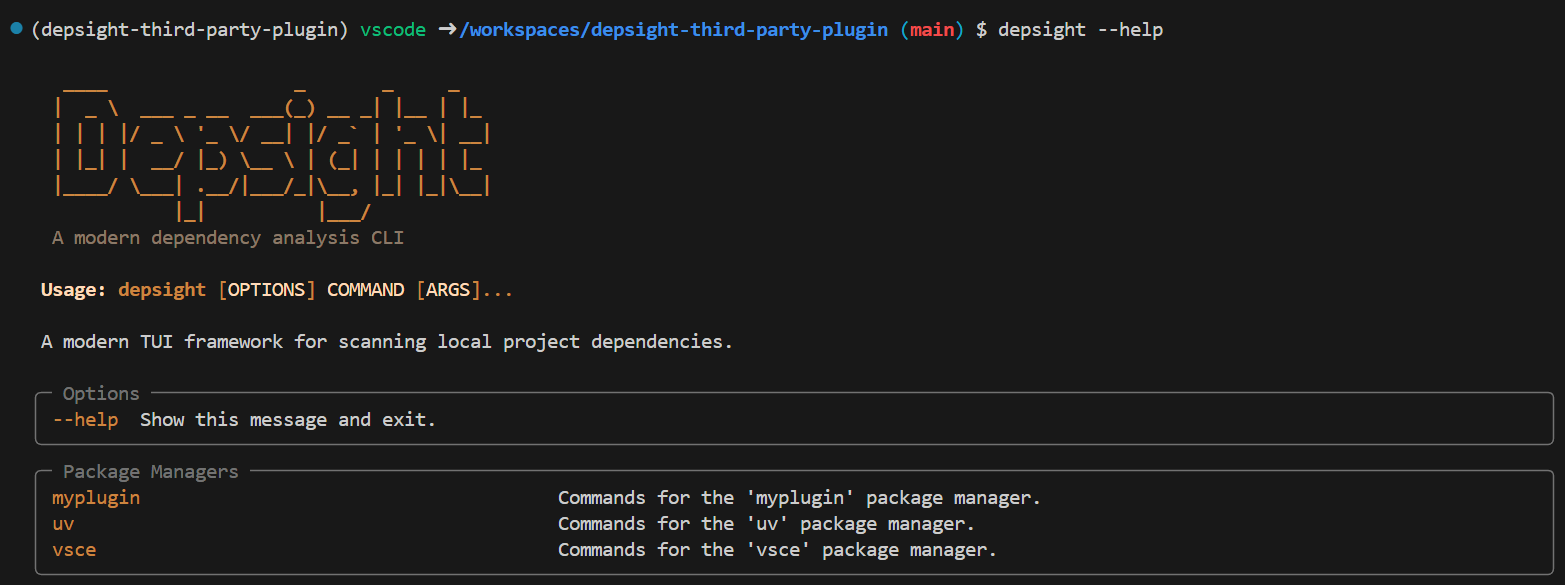
Your first task is to implement an NPM plugin for Depsight that exposes a depsight npm scan command.
Hints
Download Fancy Fileserver Project
To begin with, open a terminal in the DevContainer and download the 'fancy-fileserver' project. You can use the project to verify if your implementation works as expected:
git clone https://github.com/ValentinTwin1206/fancy-fileserver.git /workspaces/fancy-fileserver
NPM Dependencies
Your NPM plugin should parse the package-lock.json file, which records the full resolved dependency tree of a project. All direct and transitive dependencies are listed under the packages key.
The root entry ("") declares direct dependencies with their version constraints (dependencies, devDependencies). Every other entry represents an installed package under node_modules/ and provides its resolved version, registry URL, and whether it is a dev dependency.
Below is a simplified example showing the relevant fields:
{
  "packages": {
    "": {
      "dependencies": {
        "fastify": "^4.23.0"        // → Dependency.constraint
      },
      "devDependencies": {
        "artillery": "^2.0.27"      // → Dependency.constraint, Dependency.category = "dev"
      }
    },
    "node_modules/fastify": {
      "version": "4.28.1",          // → Dependency.version
      "resolved": "https://registry.npmjs.org/fastify/-/fastify-4.28.1.tgz",  // → Dependency.registry
                                    // key "node_modules/fastify" → Dependency.name = "fastify"
                                    // listed in root dependencies → Dependency.is_transitive = False
    },
    "node_modules/artillery": {
      "version": "2.0.27",          // → Dependency.version
      "resolved": "https://registry.npmjs.org/artillery/-/artillery-2.0.27.tgz",  // → Dependency.registry
      "dev": true                   // → Dependency.category = "dev"
                                    // key "node_modules/artillery" → Dependency.name = "artillery"
                                    // listed in root devDependencies → Dependency.is_transitive = False
    },
    "node_modules/fast-json-stringify": {
      "version": "6.0.1",          // → Dependency.version
      "resolved": "https://registry.npmjs.org/fast-json-stringify/-/fast-json-stringify-6.0.1.tgz",  // → Dependency.registry
                                    // key "node_modules/fast-json-stringify" → Dependency.name = "fast-json-stringify"
                                    // NOT in root dependencies/devDependencies → Dependency.is_transitive = True
    }
  }
}
The path to package-lock.json maps to Dependency.file, and Dependency.tool_name is set by the plugin itself.
Inline TODOs
The template repository already provides the plumbing required to run a working "Hello World" plugin. Thus, you do not need to set up the plugin structure from scratch; however, you are free to add additional Python modules to keep the architecture clean.
The DevContainer comes with the Todo Tree extension pre-installed. It scans your workspace for inline # TODO comments and displays them in a structured tree view, giving you a clear overview of every step that still needs to be implemented.
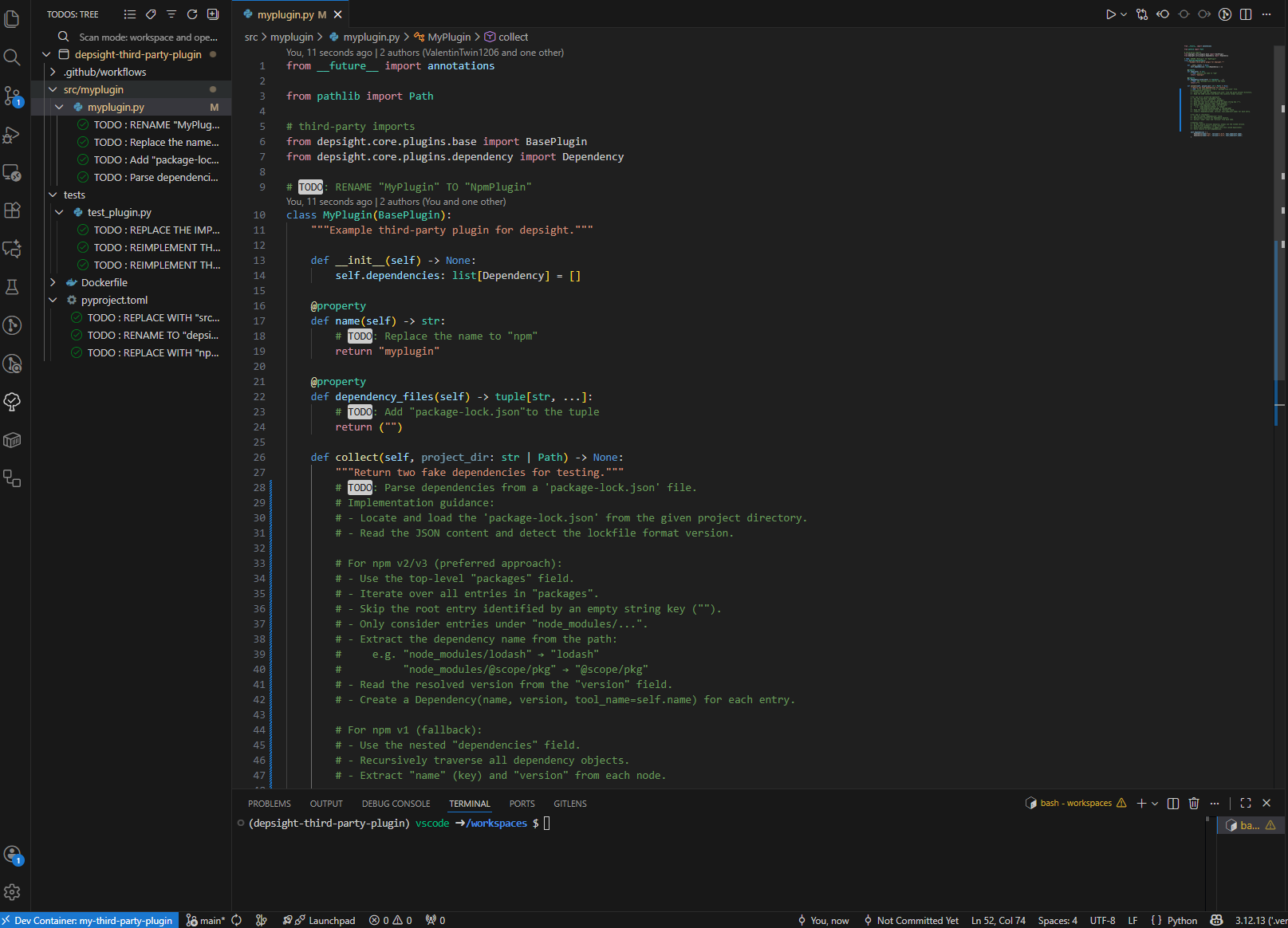
Throughout the plugin source code you will find a series of # TODO comments. Each one marks a specific step you need to complete in order to implement a fully working NPM plugin. Simply follow the TODOs since they guide you through reading package-lock.json, collecting dependencies, and wiring up the depsight npm scan command.
Skip the build.yml and Dockerfile
Implement all TODOs except the one inside the Dockerfile and .github/workflows/build.yml. That TODO is covered in Task 2.