Distribution
Overview
The most common way to distribute Python projects is as a wheel (.whl) — a pre-built binary standardised by PEP 427 that installs without a build step and accounts for the vast majority of packages on PyPI. Wheels suit developer tools and libraries well, but require Python and a package manager (pip or uv) on the target machine, making them a poor fit for end-user applications or locked-down environments. For those cases, PyInstaller and Nuitka produce self-contained executables at the cost of a more complex build toolchain.
Depsight is a developer tool designed for learning purposes and does not target any production environment. It is shipped as a wheel and published to PyPI, the standard distribution channel for packages installed via pip or uv.
Python Wheels
Package Builds
As described in Build Management, Depsight uses uv_build as its PEP 517-compliant build backend. Because the PEP 517 standard decouples the frontend from the backend, uv build is the default but any compliant frontend such as python -m build can invoke the same backend and produce identical artifacts:
uv build
python -m build
dist/
├── depsight-1.0.0-py3-none-any.whl
└── depsight-1.0.0.tar.gz
The generated .whl can be used to install Depsight locally before publishing:
pip install dist/depsight-1.0.0-py3-none-any.whl
uv pip install dist/depsight-1.0.0-py3-none-any.whl
Wheel Contents
A wheel (.whl) is a ZIP archive with a standardised layout. It contains the source code, package metadata, and entry-point declarations — everything an installer needs to place the package into a Python environment without running arbitrary build code.
depsight-0.1.0-py3-none-any.whl
├── depsight/
│   ├── __init__.py
│   ├── cli.py
│   ├── commands/...
│   ├── core/...
│   └── utils/...
└── depsight-0.1.0.dist-info/
    ├── METADATA          # Package name, version, dependencies
    ├── entry_points.txt  # CLI + plugin entry points
    ├── RECORD            # File checksums
    └── WHEEL             # Wheel format version, generator, and compatibility tag
The entry_points.txt file registers the CLI command and the plugin system:
[console_scripts]
depsight = depsight.cli:main

[depsight.plugins]
uv = depsight.core.plugins.uv.uv:UVPlugin
vsce = depsight.core.plugins.vsce.vsce:VSCEPlugin
Package Deployment
Python packages are usually hosted on PyPI, while enterprises often use registries such as JFrog Artifactory or Sonatype Nexus to proxy public packages and host internal ones. PEP 503 defines the Simple Repository API used by compliant registries and package managers, and PEP 691 adds a JSON variant.
The Depsight project leverages pypi.org to host the depsight*.whl and uses uv for publishing it. Unlike twine, which must be separately installed as a third-party dependency, uv publish is built directly into uv requiring no additional installs. The following commands publish the distribution artifacts in dist/ to PyPI:
uv publish
twine upload dist/*
hatch publish
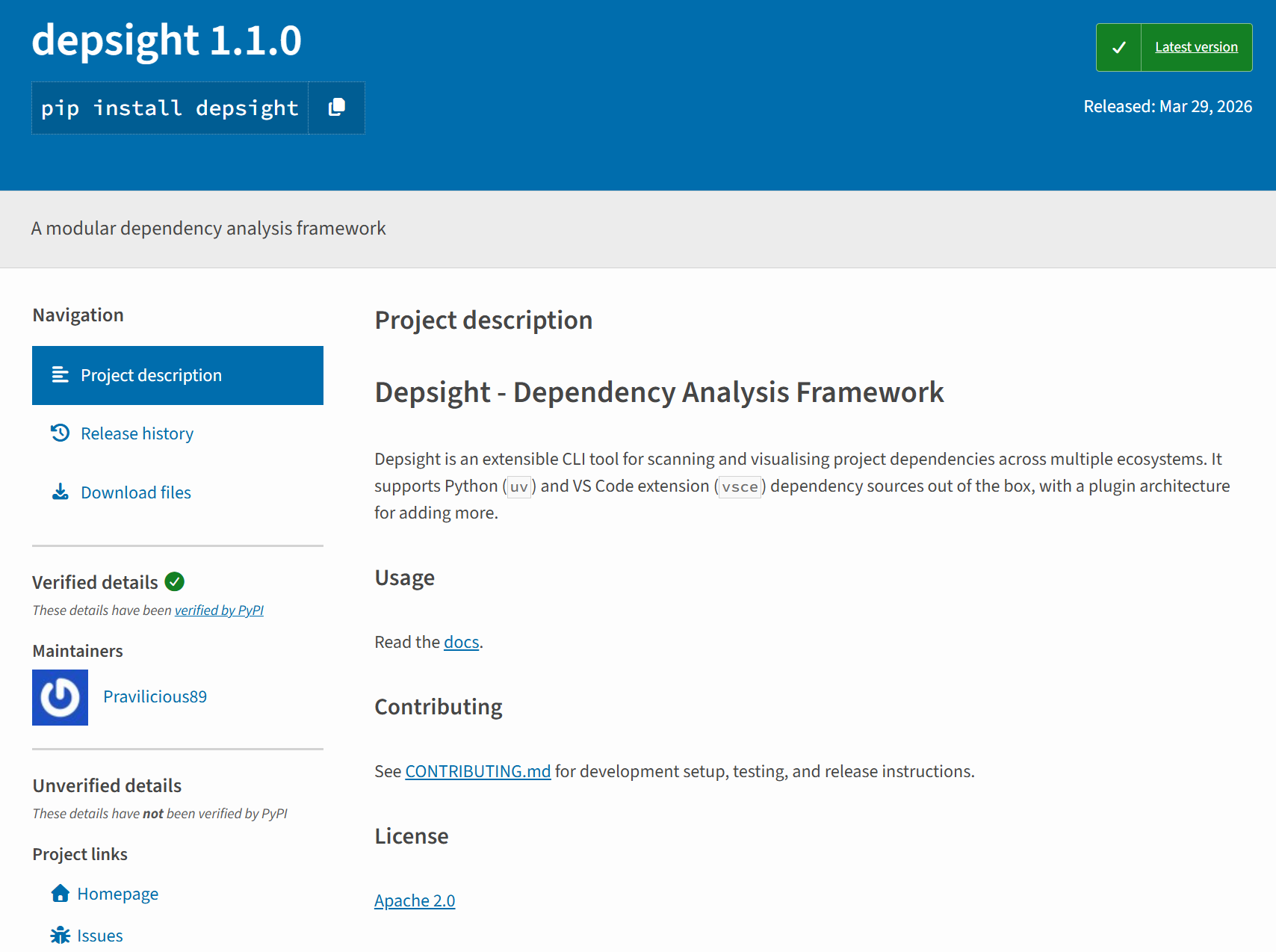
Once published, Depsight is listed at https://pypi.org/project/depsight/ where the package metadata, release history, and download statistics are publicly visible. The page is generated automatically by PyPI from the wheel's METADATA file and kept up to date with each new release.
PyPI Account and API Token
Uploading a package requires an account and an API token. The token is scoped either to the entire account or to a single project, and is passed as a secret during publishing.
Package Installation
Any published version of Depsight can be installed directly from PyPI with a single command:
pip install depsight
uv tool install depsight